

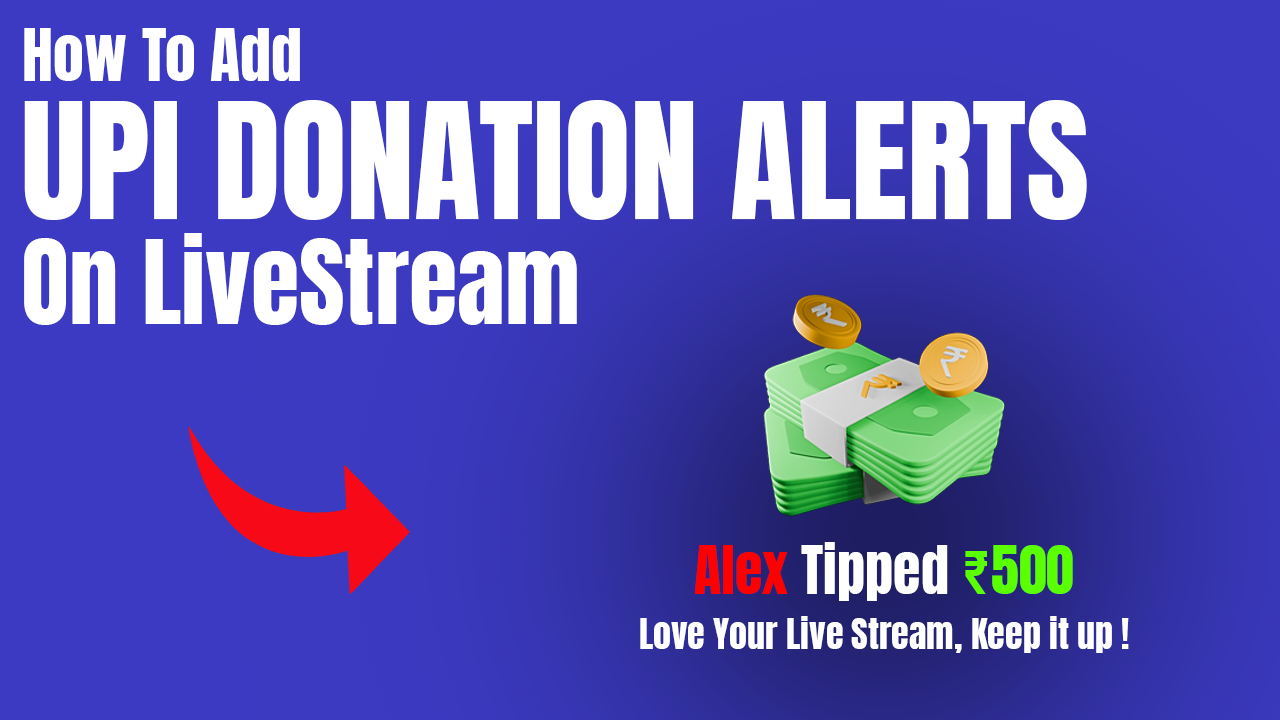
Looking to monetize your live streams and boost viewer engagement through UPI donations? With StreamTipz (sometimes called Stream Tips or StreamTips by the community), you can set up instant donation alerts and hassle-free payment settlements—all optimized for Indian streamers. Here’s a step-by-step guide for both beginners and advanced creators.
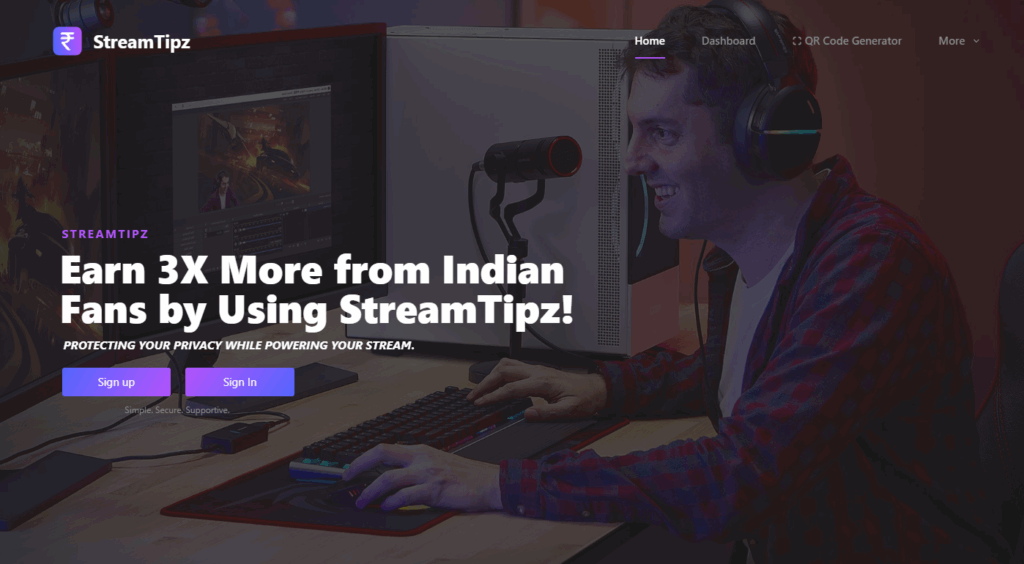
Step 1: Create Your StreamTipz/StreamTips Shop
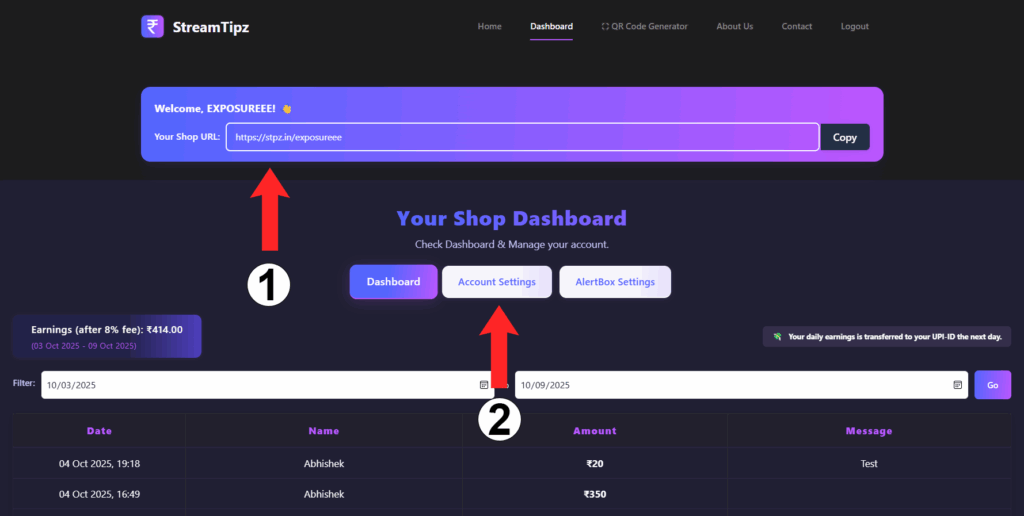
Visit StreamTipz.in and register your account. After signing up, you’ll get a unique donation shop URL (e.g., stpz.in/yourname). Share this Stream Tips link in your stream, YouTube bio, or anywhere your viewers can see. [Best Option: Pin this link in your live chat]
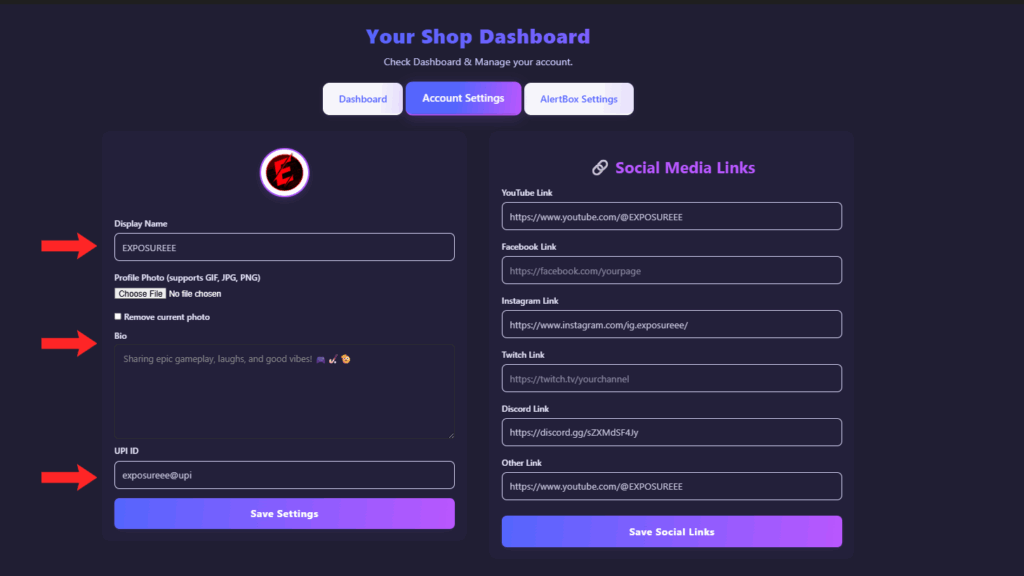
Step 2: Add Your UPI ID for Automatic Daily Settlements
In your shop dashboard, go to “Account Settings.” Enter your UPI ID (e.g., yourid@upi). StreamTipz automates your earnings, so the total amount of tips received in a day is settled automatically to your UPI ID every day—no manual withdrawal required! This is what sets Stream Tips apart from other platforms.
Step 3: Customize Your In-Stream Alert Box
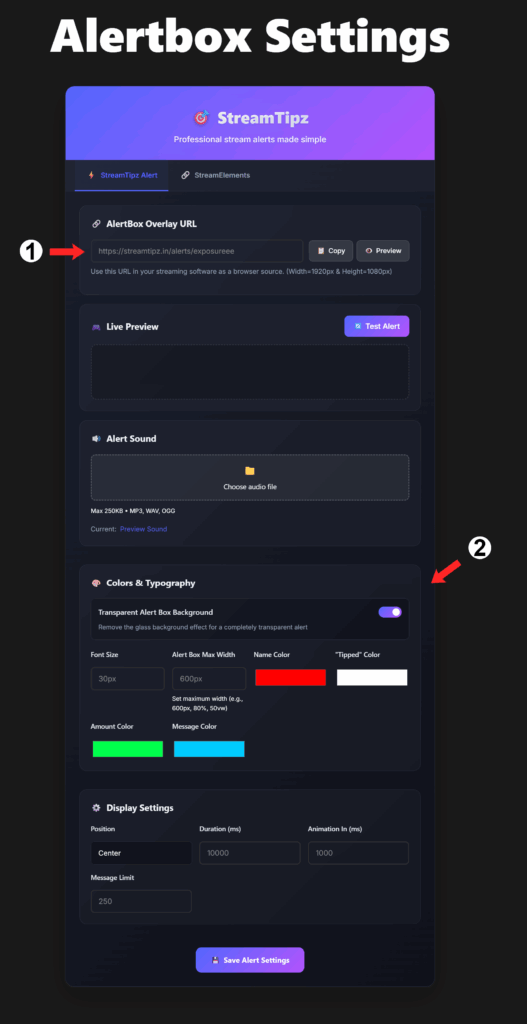
Switch to “AlertBox Settings.” Here, you can:
- Copy your personalized StreamTips Alert Overlay URL for OBS or other software
- Set your alert’s design with text colors, size, background, and sound
- Preview alerts and make sure they match your stream’s style
- In preview alert sound will not play, but when you receive the real tip , the alert sound will be played
Be sure to save your settings!
Step 4: Add the Stream Tips Alert to OBS Studio
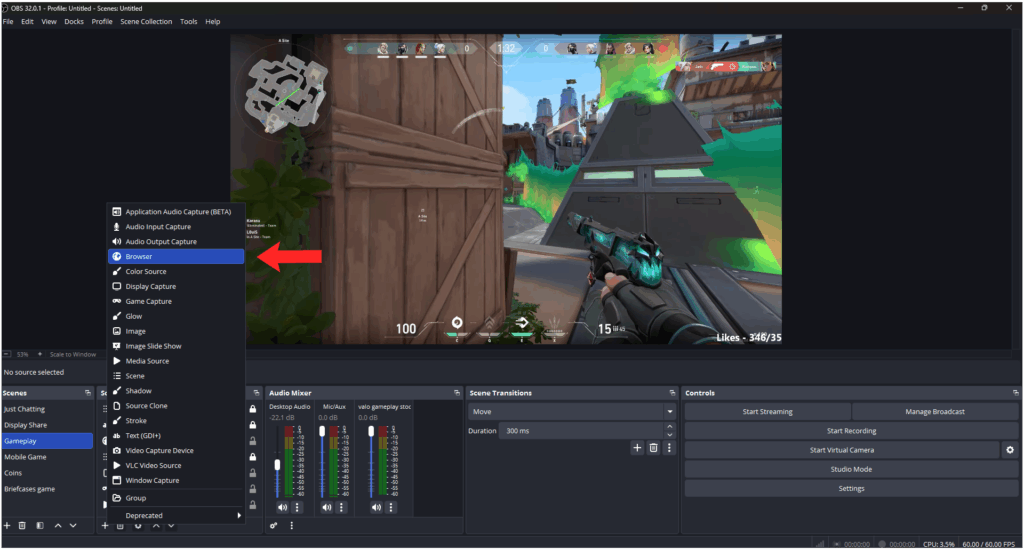
Open OBS, add a new Browser source, and paste your AlertBox URL. Set the recommended width (1920px) and height (1080px) for a full HD overlay. You can apply custom CSS for advanced styling if needed.
Step 5: Watch Your StreamTipz Alerts in Action
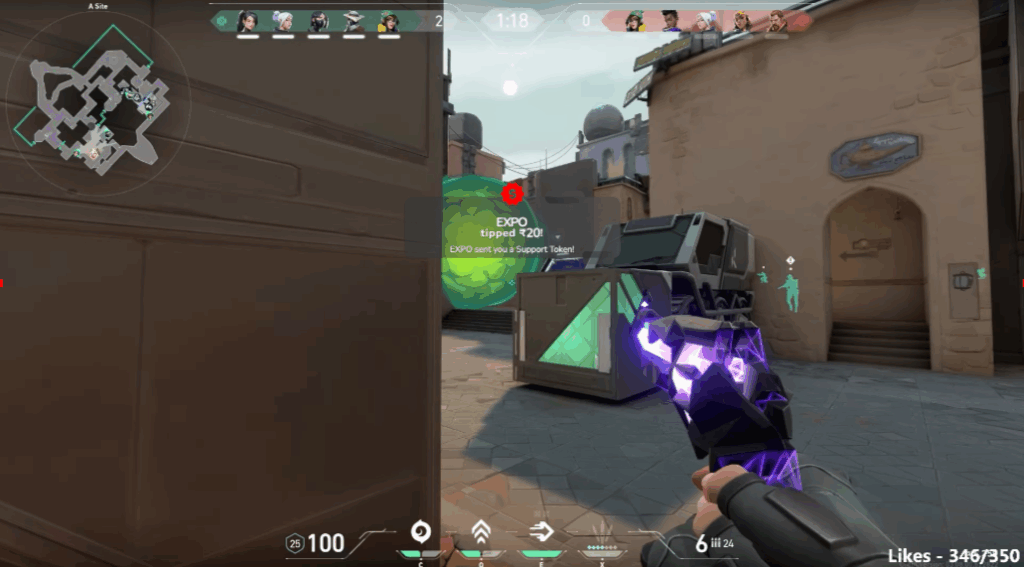
Whenever a viewer donates through UPI on your StreamTipz/StreamTips shop link, your stream will display a beautiful, real-time pop-up notification. Alerts include name, amount, and optional messages—helping you connect instantly with supporters.
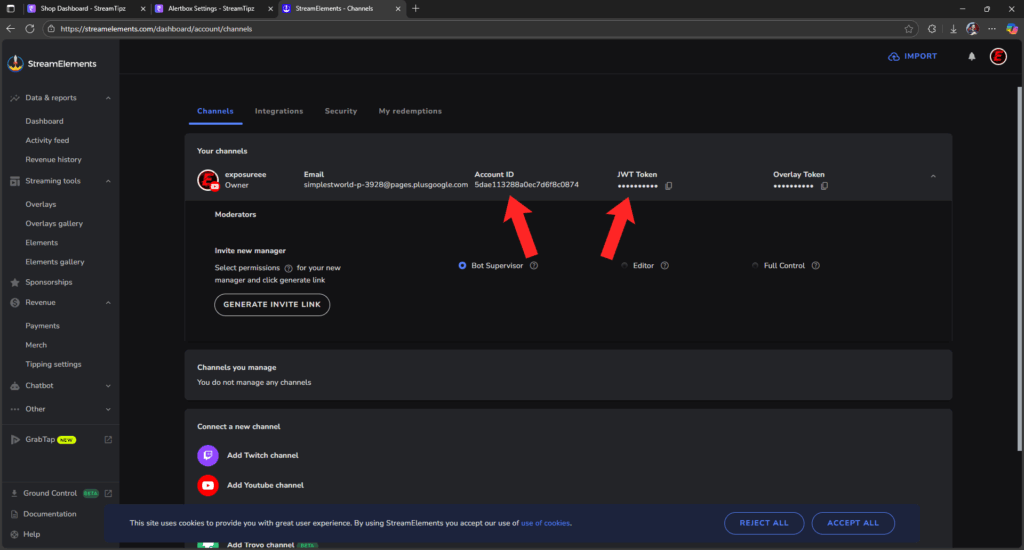
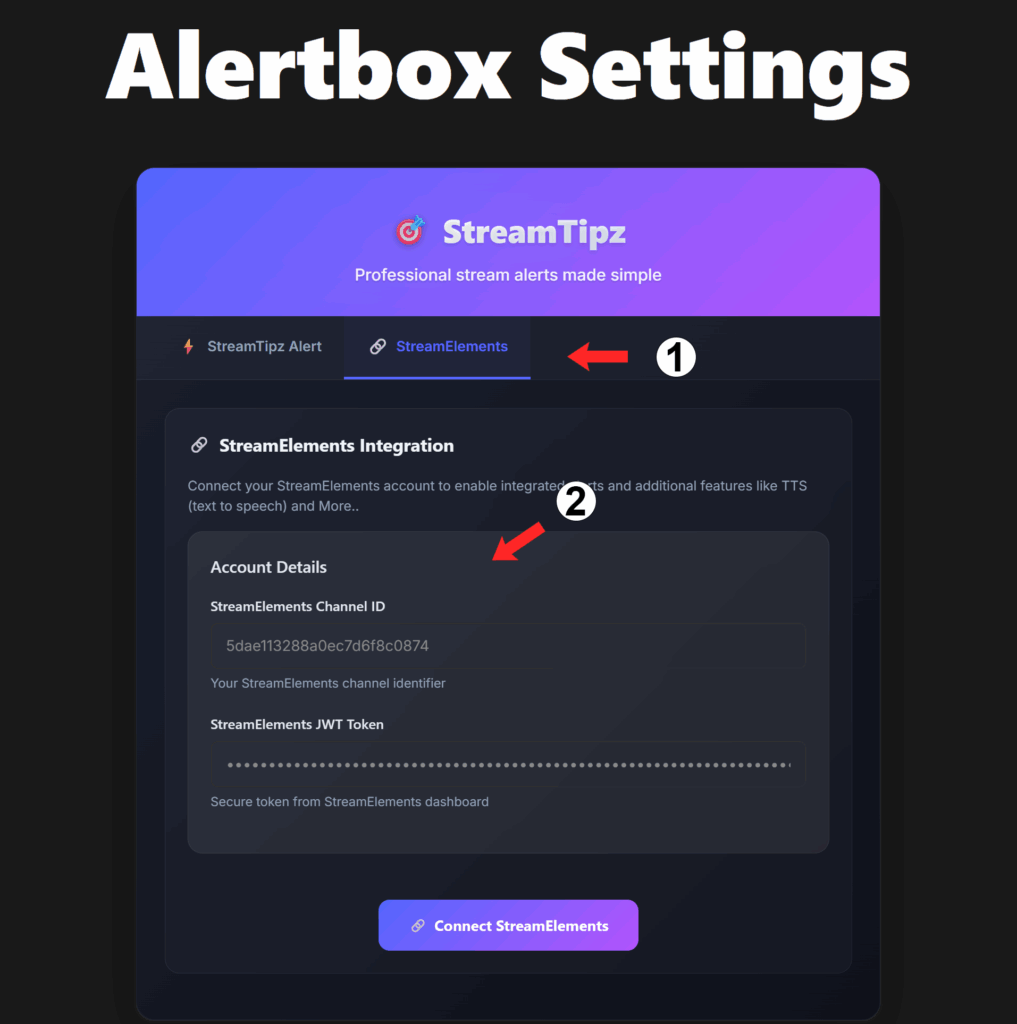
Step 6 (Optional): Advanced Streamers — Connect StreamTipz to StreamElements
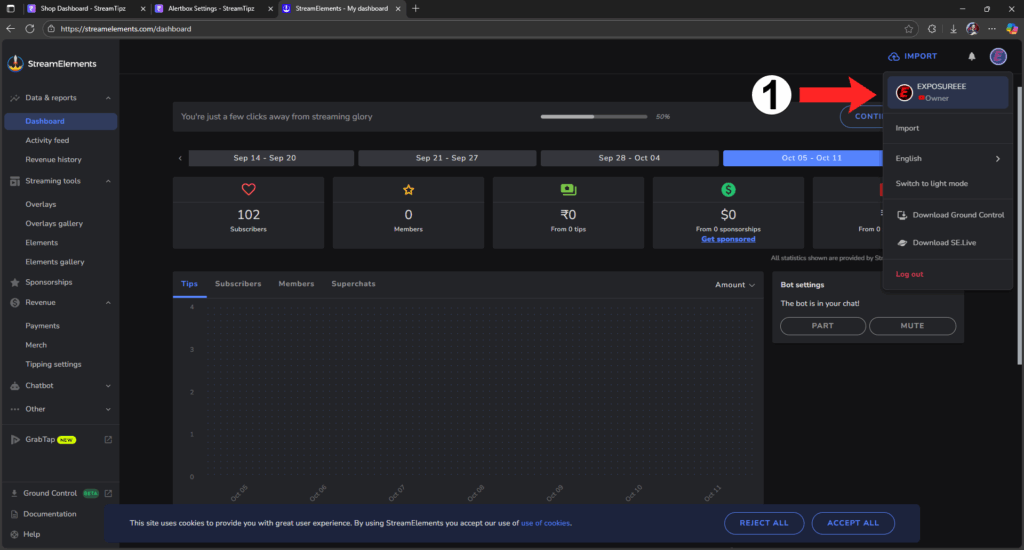
Want more customization? StreamTipz allows easy integration with StreamElements for advanced features (e.g. TTS, richer animations):
- Get your Channel ID and JWT Token from your StreamElements dashboard
- Enter these in the StreamTips AlertBox settings under the StreamElements tab
- Click Connect StreamElements for maximum flexibility
This lets Stream Tips users combine the best features of both platforms.
Why Choose StreamTipz/StreamTips For UPI Alerts?
- Seamless UPI Integration: Accepts any UPI payment app (Paytm, GPay, PhonePe, etc.)
- Automatic Daily Payouts: Tips are settled and transferred to your UPI ID daily, zero manual effort
- Custom Alerts: Built-in alert system or deep integration with StreamElements for power users
- Trusted by Top Indian Streamers: Proven, reliable, and built for the local creator community
Start Accepting UPI Donations with StreamTipz Today!
Monetizing your live stream with UPI is now frictionless thanks to StreamTipz. Whether you prefer the stellar built-in alert box or want to supercharge your experience via StreamElements, Stream Tips has you covered. Set it up, go live, and watch your support (and settlements) roll in daily!
If you have questions about setup, alerts, or want more StreamTips, drop a comment or join the StreamTipz Discord community for more guidance!